Selecting quality hardware is essential for maintaining a productive and efficient office environment.
As an office manager, you need to ensure that the hardware you choose meets the needs of your team and supports the overall goals of the organisation. Here are factors to consider when selecting and maintaining office hardware.
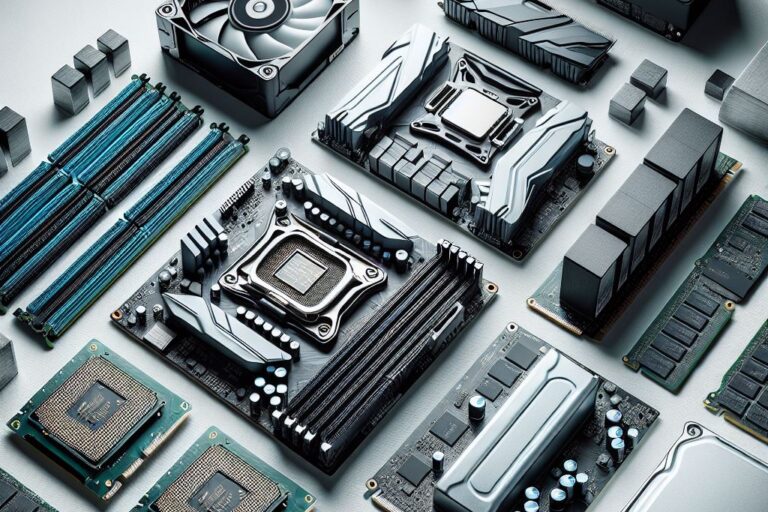
Processor Speed: Ensure that computers have fast processors to handle the tasks required by your team. Look for multi-core processors for better performance.
Memory (RAM): Adequate RAM is crucial for smooth multitasking. Aim for at least 8GB of RAM for general office use and more for demanding applications.
Storage: Choose solid-state drives (SSDs) over traditional hard drives (HDDs) for faster data access and reliability.
Operating Systems: Ensure the hardware is compatible with your existing software and operating systems.
Peripheral Devices: Check compatibility with printers, scanners, and other peripheral devices.
Network Integration: Ensure new hardware seamlessly integrates into your existing network infrastructure.
Future-Proofing: Choose hardware that can be easily upgraded or expanded to meet future needs. This includes additional RAM slots, storage bays, and expansion ports.
Vendor Support: Opt for hardware from reputable vendors with good support and warranty options.
Built-in Security: Look for hardware with built-in security features such as biometric authentication, encryption capabilities, and secure boot options.
Regular Updates: Ensure that the hardware can receive regular firmware and security updates to protect against vulnerabilities.
Energy Star Rating: Choose hardware with high energy efficiency ratings to reduce power consumption and lower utility costs.
Power Management: Look for devices with advanced power management features that can help save energy when not used.
Ergonomic Design: Select hardware that promotes good posture and reduces strain, such as adjustable monitors, ergonomic keyboards, and comfortable mice.
Display Quality: Ensure monitors have high resolution and colour accuracy to reduce eye strain and improve productivity.
Total Cost of Ownership: Consider not just the initial purchase price but also the long-term costs, including maintenance, upgrades, and energy consumption.
Budget Allocation: Balance the need for quality hardware with budget constraints. Prioritise essential features and look for cost-effective options that meet your requirements.
Warranty and Support: Choose hardware with comprehensive warranty and support services to minimise downtime in case of issues.
Maintenance Plans: Establish regular maintenance schedules to keep the hardware in optimal condition and extend its lifespan.
Selecting quality hardware involves careful consideration of performance, compatibility, scalability, security, energy efficiency, user comfort, cost, and maintenance.
By focusing on these key factors, office managers can ensure that their hardware choices support a productive and efficient work environment.
Regularly reviewing and updating hardware policies will help equip your office with the best tools for success.
You need the best IT support in London. Technology is complicated and expensive. It’s so hard to maintain everything and know what to do when something breaks or goes wrong. IT problems can put a damper on your day. They’re frustrating, time-consuming, and seem like a never-ending cycle of issues.
Penntech’s average NPS score over 90 days is 84. The average Net Promoter Score (NPS) for IT Managed Service Providers (MSPs) can vary. Still, an NPS of around 50 is considered excellent in this industry, with scores above 70 exceptional and rare.
We offer our services on a trial basis for the first three months because we’re confident in our delivery and approach.
Penntech offers a wide range of IT services, from strategic project management to 24/7 remote support, ensuring all your IT needs are always covered.
We provide advanced cybersecurity measures and expertise, including penetration testing services and Cyber Essentials, to protect clients from cyber threats.
We offer Clients the ability to scale IT services up or down based on their needs. This flexibility is crucial for businesses that experience seasonal changes or rapid growth.
Other providers often enforce their preferred IT stack, but we don’t, as IT is not a one-size-fits-all solution.
We ensure our Clients’ business continuity through robust disaster recovery and backup solutions.
With experience in various verticals and industries, Penntech understands different businesses’ unique IT challenges and can provide customised solutions..
Contact us today or explore the range of support packages on offer.

Business owners often have to wear many hats, from handling HR and marketing tasks to managing the finances. One task…
Cool Windows 11 Features That May Make You Love This OS
Microsoft released the Windows 11 operating system (OS) over a year ago. It was well-received mainly with reviews as stable…

6 Ways to Prevent Misconfiguration (the Main Cause of Cloud Breaches)
Misconfiguration of cloud solutions is often overlooked when companies plan cybersecurity strategies. Cloud apps are typically quick and easy to…

4 Proven Ways to Mitigate the Costs of a Data Breach
No business wants to suffer a data breach, but unfortunately, it’s difficult to avoid them in today’s environment. Approximately 83%…

The benefits of AI include advancing our technology, improving business operations, and much more. Adoption of AI has more than doubled…
Leading Password Managers for Personal and Business
We hope that your business is already considering a password manager system, but there’s still the matter of finding the…

What’s Changing in the Cybersecurity Insurance Market?
Cybersecurity insurance is still a pretty new concept for many SMBs. It was initially introduced in the 1990s to provide coverage for large enterprises. It covered things like data processing errors and online media.

What are the advantages of implementing Conditional Access?
It seems that nearly as long as passwords have been around, they’ve been a major source of security concern. Eighty-one…

The SME Guide to Microsoft 365 Copilot
Artificial intelligence is reshaping the way businesses work—and nowhere is this more evident than in Microsoft 365. With Copilot now…

AI Attacks and the Role of Backups
Artificial intelligence (AI) is transforming cybersecurity – both for defenders and attackers. While businesses adopt AI-powered tools to strengthen protection,…

AI in Cyber Security: Friend or Foe?
Artificial Intelligence (AI) is rapidly changing the way businesses operate — including how they protect themselves from cyber threats. For…

Avoiding Costly Downtime in 2025
In today’s digital-first world, businesses rely more than ever on constant connectivity and system availability. Yet despite modern advances in…

MSP Insights: ISO 27001 in Practice
In 2025, data protection and cyber resilience remain top priorities for businesses of all sizes. ISO 27001, the international standard…

SharePoint: The Future of File Storage
For many years, traditional file servers were the backbone of business operations. They provided shared drives where employees stored documents…

As cybersecurity risks evolve, so too must the standards and frameworks designed to protect organisations. In April 2025, the National…

Managing Multi-Tenant Environments – Best Practices for 2025
As businesses adopt more cloud services and expand globally, managing multi-tenant environments has become a critical challenge for IT teams…

Why Cyber Insurance Isn’t Enough
Cyber insurance has become a popular safety net for organisations worried about the growing threat of cyber attacks. While having…